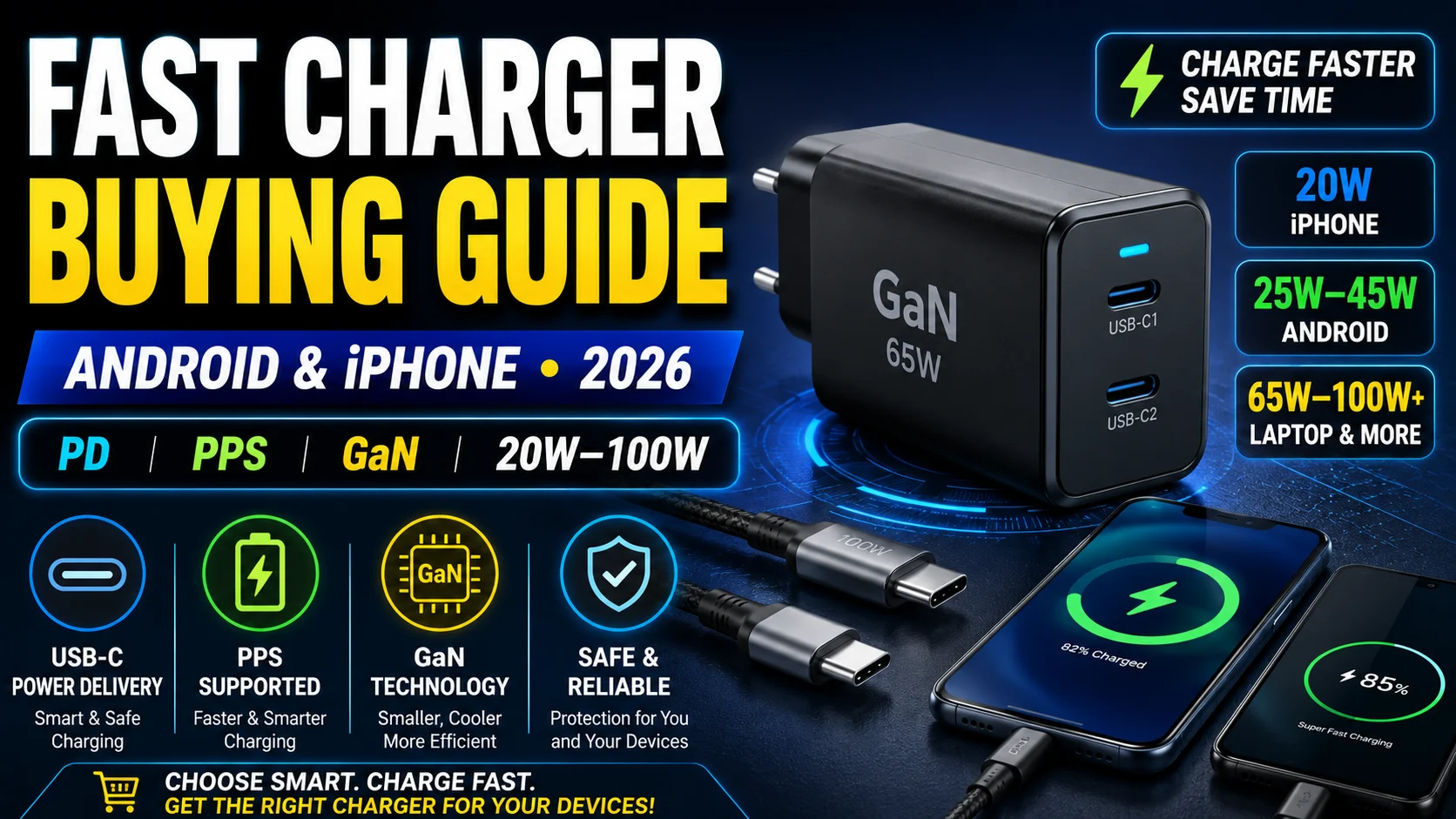
Buying a fast charger should be simple, but terms such as USB-C, USB Power Delivery, PPS, GaN, 25W, 45W, 65W and 100W can quickly make things confusing.
The charger with the biggest wattage number isn’t automatically the best charger for your phone.
Your smartphone, charger and cable need to support compatible charging standards to achieve the best charging speed.
In this guide, we’ll explain how to choose the best fast charger for Android and iPhone, how much wattage you actually need, and what to check before spending your money.
Fast Charger Buying Guide: Quick Comparison
| Charger Type | Best For | What to Look For |
|---|---|---|
| 20W–30W USB-C | Most smartphones | USB Power Delivery |
| 25W–45W USB-C PPS | Compatible Android phones | USB-PD + PPS |
| 45W–65W GaN | Phones, tablets and travel | PD/PPS + quality USB-C cable |
| 65W Multi-Port GaN | Phone + tablet/laptop | Check power distribution |
| 100W+ | Laptops and multiple devices | Correct high-power USB-C cable |
Important: A 65W or 100W charger does not automatically force 65W or 100W into your smartphone. Compatible USB Power Delivery devices negotiate their power requirements with the charger.
1. Understand USB Power Delivery (USB-PD)
USB Power Delivery, usually written as USB-PD or simply PD, is one of the most important standards to look for when buying a modern USB-C charger.
USB-PD allows compatible devices and chargers to negotiate power delivery instead of relying on a single fixed charging level.
This means one compatible USB-C PD charger may potentially be used with several types of devices, including:
- Android phones
- iPhones
- Tablets
- Wireless charging accessories
- Portable gaming devices
- Some laptops
The actual charging speed still depends on what your device, charger and cable support.
2. What Is PPS Charging?
PPS stands for Programmable Power Supply.
PPS is associated with USB Power Delivery fast charging and allows compatible equipment to adjust charging voltage and current more dynamically.
This is particularly important for some Android smartphones that use PPS as part of their fastest supported USB-C charging modes.
Do All Phones Need PPS?
No.
An iPhone buyer should primarily make sure the charger supports the appropriate USB Power Delivery standard.
For an Android phone, particularly one advertising USB-PD PPS-based fast charging, choosing a charger that supports both PD and PPS can be more important.
3. How Many Watts Do You Actually Need?
This is where many buyers make mistakes.
A charger’s wattage represents how much power it is capable of supplying under supported conditions. It doesn’t mean every connected phone will charge at that wattage.
For example, connecting a phone that supports a lower charging rate to a compatible 65W charger does not mean the phone suddenly charges at 65W.
The device determines the charging level it can accept under the supported charging protocol.
20W to 30W Chargers
A quality 20W to 30W USB-C PD charger can be sufficient for many smartphone users.
This range is especially practical if you only intend to charge one phone and don’t need to power tablets or laptops from the same adapter.
45W Chargers
A 45W charger can make sense for smartphones that specifically support higher charging rates.
However, buying a 45W charger won’t automatically make a phone that supports a lower rate charge faster.
65W Chargers
A 65W USB-C charger is one of the most versatile options for people who own multiple types of devices.
Depending on compatibility, a 65W charger can potentially replace separate chargers for your:
- Phone
- Tablet
- Earbuds
- Power bank
- Some USB-C laptops
This makes 65W particularly attractive for travel.
Do You Need a 100W or Higher Charger?
For a smartphone alone, usually not.
Higher-power chargers become more useful when you also need to charge power-hungry laptops or several devices.
Don’t pay extra for a huge wattage number unless your devices can actually benefit from it.
4. Best Charger Type for iPhone
For modern iPhones, look for a reputable USB-C Power Delivery charger.
Apple supports fast charging on compatible iPhone models using USB-C power adapters that support USB Power Delivery.
For many iPhone users, a quality USB-C PD charger in the appropriate wattage range is therefore more important than buying the highest-wattage charger available.
If you’re also having battery problems, see our guide on how to fix an iPhone battery draining fast.
What About Older Lightning iPhones?
Older compatible iPhones that use a Lightning connector can fast-charge using an appropriate USB-C to Lightning cable together with a compatible USB-C PD adapter.
Newer USB-C iPhones use a USB-C charging cable.
5. Best Charger Type for Android Phones
Android charging is more complicated because manufacturers use different fast-charging technologies.
Some Android phones work very well with standard USB-PD or USB-PD PPS chargers, while others may require a manufacturer’s charger or proprietary charging technology to reach their advertised maximum speed.
Before buying, check your exact phone model for:
- Maximum supported charging power
- USB Power Delivery support
- PPS support
- Any proprietary charging requirement
- Required cable specification
Don’t assume that every Android phone advertising “fast charging” uses exactly the same standard.
6. Samsung Users Should Check PPS and Wattage
Many Samsung Galaxy devices support fast or Super Fast Charging, but supported charging speeds vary by model.
Some devices may support 25W charging while selected models support higher rates such as 45W.
If your Galaxy phone supports a PPS-based charging mode, make sure the charger supports the required USB-PD PPS profile.
Buying a 45W charger for a Galaxy phone that only supports a lower charging level won’t magically turn it into a 45W device.
7. What Is a GaN Charger?
GaN stands for Gallium Nitride.
GaN technology is commonly used in modern compact chargers and can allow manufacturers to build smaller high-power adapters with efficient power-conversion designs.
For buyers, the most noticeable advantage is often size.
A well-designed 65W GaN charger can be much more convenient for travel than carrying several separate adapters.
Does GaN Automatically Mean Better?
No.
GaN describes an underlying technology, not the overall quality of a charger.
You should still consider:
- Charging standards
- Safety features
- Manufacturer reputation
- Port configuration
- Warranty
- Cable quality
- Device compatibility
8. Single-Port vs Multi-Port Chargers
A single-port charger is simple: one device uses the available charging output.
Multi-port chargers are more convenient, but there’s an important detail many buyers miss.
The advertised maximum wattage may be shared between ports when several devices are connected.
For example, a multi-port charger advertised as 65W may provide its maximum output through one USB-C port when used alone but redistribute power when a second or third device is connected.
Always check the manufacturer’s power-distribution table before buying a multi-port charger.
9. Your USB-C Cable Matters Too
Buying a powerful charger while using an unsuitable cable can prevent you from getting the expected charging performance.
The charger, cable and device work together.
For higher-power USB-C charging, make sure your cable is designed for the required power level and charging standard.
Don’t assume every cable with USB-C connectors has identical charging capabilities.
10. Avoid Extremely Cheap Unknown Chargers
A charger is connected directly to mains electricity and to an expensive electronic device, so price shouldn’t be the only consideration.
Be cautious with unknown chargers making unrealistic claims such as:
- “200W ultra-fast” at an unusually low price
- No clear manufacturer information
- No meaningful specifications
- No warranty information
- No supported charging protocols listed
- Misleading certification claims
Choose chargers from reputable manufacturers and reliable sellers.
11. Look for Proper Certification and Compliance
USB-IF operates certification programs for compliant USB products.
When available, genuine USB-IF certification can provide additional confidence that a product has undergone the applicable compliance testing.
However, don’t trust a logo printed on a suspicious product without considering the seller and manufacturer.
Buy from reputable sources and check the charger’s actual specifications.
12. Should You Buy the Phone Manufacturer’s Charger?
Not necessarily.
A quality third-party charger can work well if it correctly supports the charging standard required by your device.
For example, an iPhone can use a compatible third-party USB-C PD adapter rather than requiring only an Apple-branded adapter.
However, proprietary fast-charging systems used by some Android manufacturers can be different.
If achieving the phone’s absolute maximum advertised charging speed is important to you, check whether the manufacturer requires a particular adapter and cable.
What Charger Should You Buy?
Here is a simple way to decide.
If You Only Charge an iPhone
Choose a reputable USB-C Power Delivery charger with sufficient wattage for your specific iPhone model.
If You Have a Samsung Galaxy Phone
Check the exact Galaxy model’s supported charging wattage and whether it requires USB-PD PPS for its fastest charging mode.
If You Have Another Android Phone
Check whether the manufacturer uses USB-PD, PPS or a proprietary fast-charging system before buying.
If You Have a Phone and Tablet
A quality 45W or 65W USB-C charger can be a more versatile option, provided it supports the standards required by both devices.
If You Have a Phone and USB-C Laptop
A 65W or higher multi-device charger may allow you to carry one adapter instead of several.
Check your laptop’s power requirements first.
Fast Charger Buying Checklist
Before ordering a charger, check:
- Connector: Does it have the USB-C ports you need?
- USB-PD: Does your device require Power Delivery?
- PPS: Does your Android phone benefit from PPS?
- Wattage: Does the charger provide enough power for your device?
- Cable: Can your cable handle the required charging power?
- Ports: Do you need to charge multiple devices simultaneously?
- Power distribution: How is wattage divided when multiple ports are used?
- Manufacturer: Is the brand reputable?
- Certification: Are legitimate compliance claims provided?
- Warranty: Is meaningful warranty support available?
Is a 65W Charger Safe for a Phone?
A higher maximum charger rating does not mean a compatible USB-PD charger simply pushes its full rated wattage into every connected phone.
Compatible USB-PD devices negotiate their power requirements.
Therefore, a quality higher-rated charger can often be used with lower-power compatible devices.
The important considerations are proper standards support, good-quality equipment and correct cables.
Does a Higher-Watt Charger Always Charge Faster?
No.
Once you reach your phone’s supported charging level, simply buying a higher-wattage adapter may provide little or no additional charging-speed benefit.
A 100W charger won’t automatically charge a phone twice as fast as a 50W charger.
Your phone’s charging capabilities remain the limiting factor.
Frequently Asked Questions
What watt charger is best for an iPhone?
It depends on the iPhone model. Modern compatible iPhones support USB-C Power Delivery fast charging, but the wattage needed for the fastest supported charging varies by model. Check Apple’s specifications for your exact iPhone before buying.
Is a 65W charger too powerful for an iPhone?
Not simply because its maximum rating is 65W. With a properly designed compatible USB-PD charger, the device negotiates the power it needs rather than automatically receiving the charger’s full maximum output.
What is PPS on a charger?
PPS means Programmable Power Supply. It is associated with USB Power Delivery fast charging and allows compatible equipment to dynamically adjust charging voltage and current.
Do I need PPS for an iPhone?
For iPhone fast charging, USB Power Delivery compatibility is the key specification to look for. PPS is particularly relevant to certain Android fast-charging implementations.
Do all Samsung phones support 45W charging?
No. Samsung states that not all Galaxy devices support 45W charging. Check the charging specification for your exact model before purchasing a 45W adapter.
Is GaN better than a normal charger?
GaN can help manufacturers produce compact, efficient high-power chargers, but GaN alone doesn’t guarantee quality. Charging standards, safety, design, warranty and manufacturer reputation still matter.
Can I use one charger for my Android phone and iPhone?
Potentially, yes. A quality USB-C charger supporting the standards required by both phones can be convenient. However, some Android phones require proprietary charging technologies to achieve their maximum advertised charging speed.
Does the USB-C cable affect charging speed?
Yes. The cable needs to support the power and charging requirements of your setup. Using an unsuitable cable can limit charging performance.
Final Thoughts
Don’t choose a fast charger based only on the biggest wattage number printed on the box.
Start with your phone.
Check its supported charging standard, maximum useful charging power and cable requirements. For iPhone users, USB Power Delivery is particularly important. For many Android users, USB-PD PPS support can also matter.
A quality 20W–30W charger may be all a single-phone user needs, while a 45W or 65W GaN charger can make more sense if you own several devices.
If you also carry a USB-C laptop, a higher-power multi-port charger can reduce the number of adapters you need when travelling.
Most importantly, buy from a reputable manufacturer, use an appropriate cable and verify compatibility with your exact phone rather than assuming that more watts automatically means faster charging.